An AI-native, governed, continuous-learning system to execute work for enterprise IT workflows

Learning

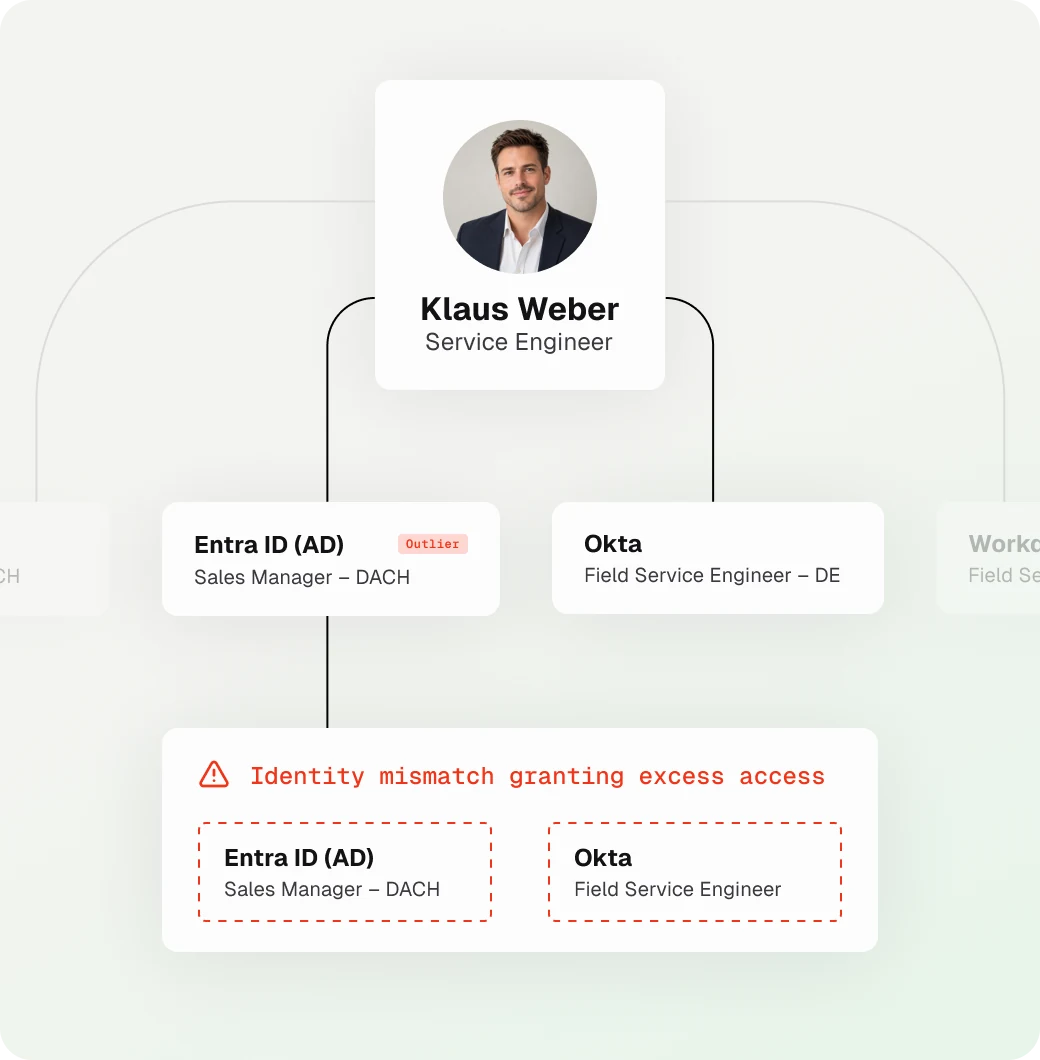
Identity graph flagging a role mismatch between Entra ID and Okta

Learning happens in two phases, and the second never stops.

Phase one: build the context graph. Thira connects to your systems (identity providers like Okta and Entra ID, HR systems like Workday, and service desk systems like Freshservice and ServiceNow), knowledge bases, diagrams, documents, and spreadsheets, and asks your team to fill in the tribal knowledge that resides in your team. Our agents build workflows and context knowledge graphs (e.g., access graph). You can query the graph for answers no single system can give, see which processes are worth automating first, what percentage of your tickets can be auto-remediated and the manual hours behind each one. You can review and approve workflows Thira has already drafted.

Phase two: continuous learning. Every run teaches Thira something. Tickets and requests from Slack or Teams that follow an onboarding become fixes to the onboarding workflow. The system may require human-in-the-loop approvals initially, based on your policies. Once steps have been approved consistently, Thira moves them to autonomous with your team's sign-off, always within your policies. And the graph stays current as people join, move, and leave, including access to all entitlements.

By month six, your employees are happier and your process is better than the one you started with.
Execution

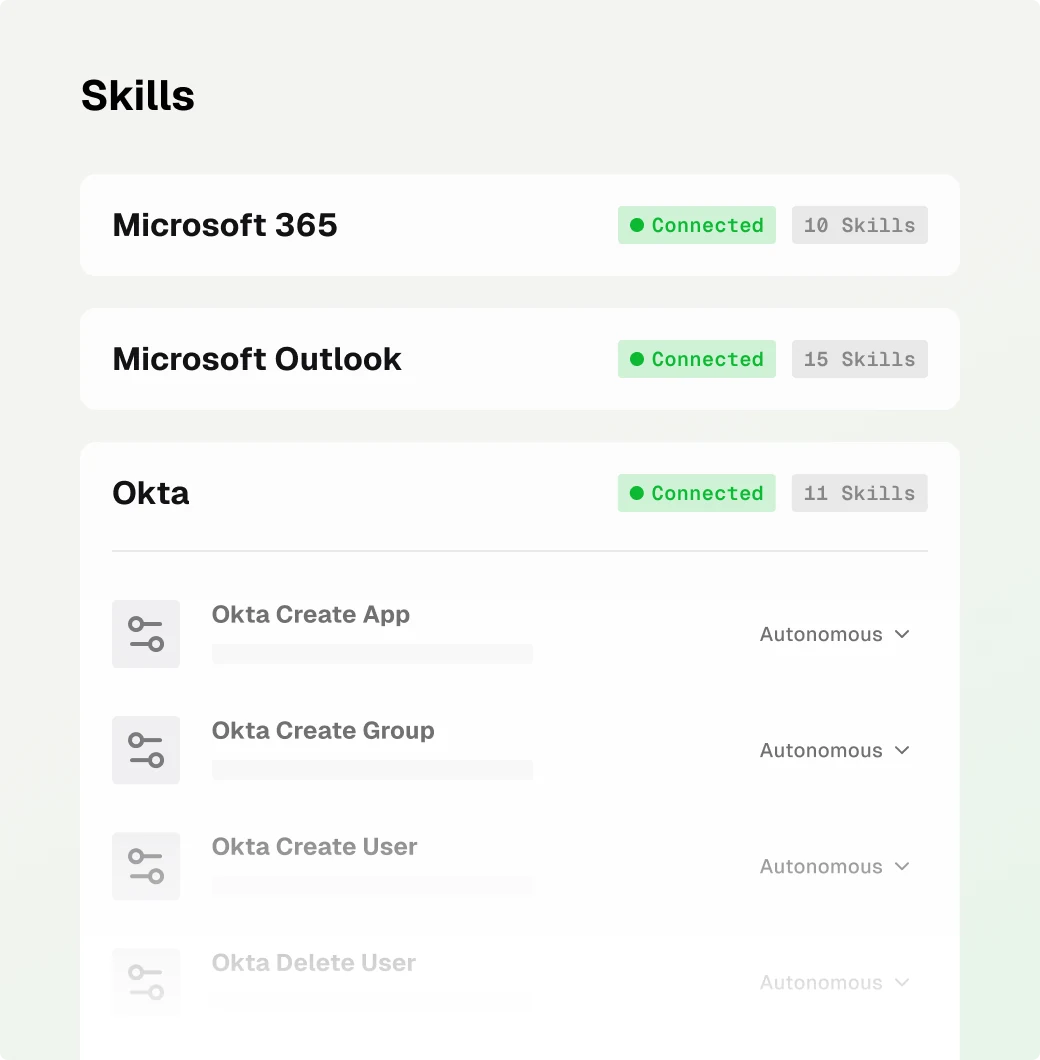
Skills list for Microsoft 365, Outlook and Okta, each skill set to Autonomous

A request arrives through Slack, Teams, your ticketing system, or your HR system. The agent reads it against the context graph, so it already knows who the person is, what their role and team have access to, and how this kind of work has been done before. From there it plans the path: which systems to touch, in what order, and what done looks like.

There's no rigid script. The agent either chooses a pre-approved workflow or assembles each workflow from reusable skills, specific to your enterprise. That's why it can handle requests nobody anticipated, and why a new process goes live without a consulting engagement.

Then it executes. The agent works directly inside your systems of record, not as a chat layer on top of them, and verifies the result instead of assuming it worked. It owns the whole scenario, not one step. An onboarding that creates accounts but leaves a manager chasing a laptop and a first-week schedule isn't finished.

Autonomy you control. The agent runs on its own through the steps you've cleared and pauses where a human in the loop is required based on your enterprise policies. It reaches that person in Slack, Teams, or email with the request, the plan, and what it has done so far, so approval takes seconds. As agents build a track record, Thira shows you the runs behind each recommendation to widen their autonomy. Most teams start with approvals on key steps and work toward agents running whole workflows with controls.

Governance

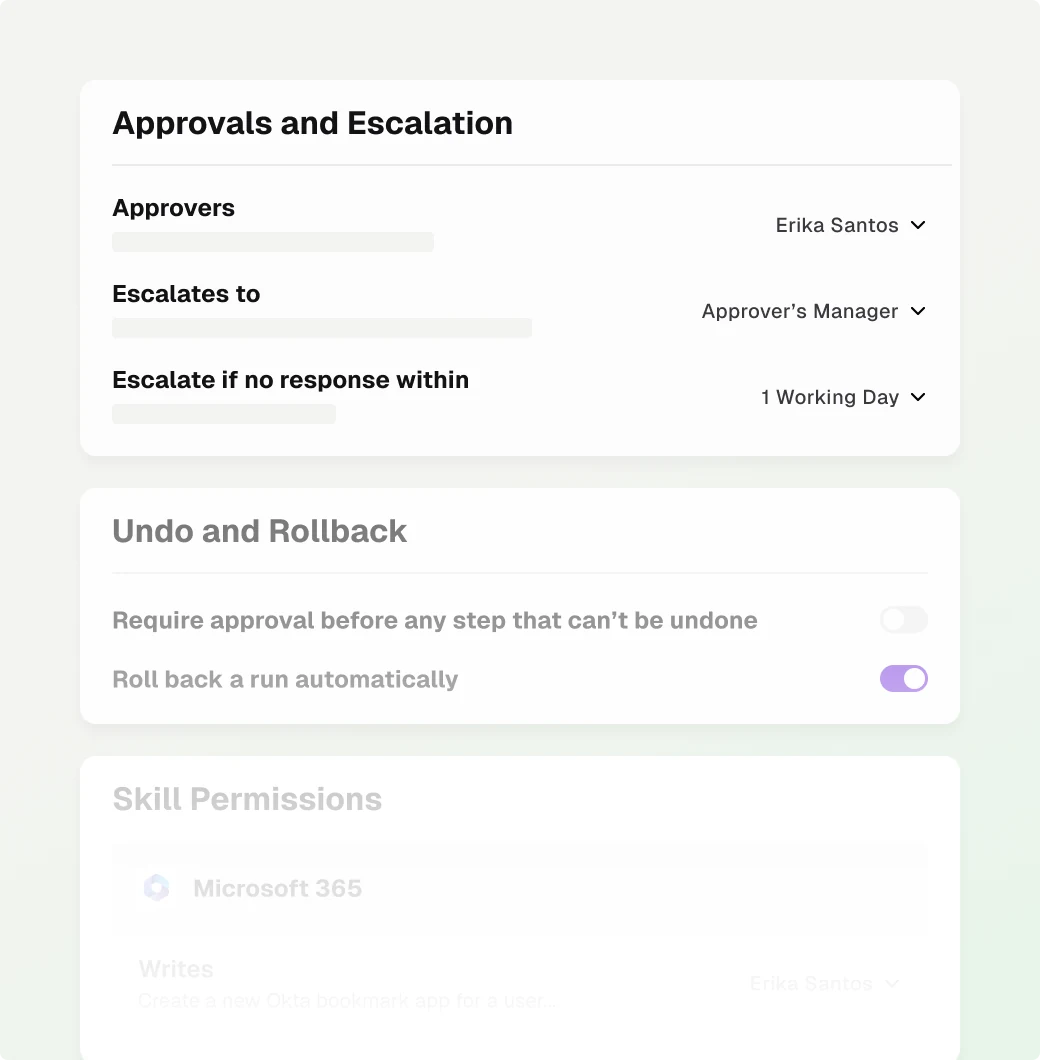
Approvals and escalation settings, with undo and rollback controls

You set the rules, agents follow them, and every action leaves a record.

Control. Every skill on every agent is set to allow, require approval, or deny, so you can bar an agent from ever taking a specific action. Agents can run in simulation, executing end to end without writing to your systems, so you can see exactly what they would do before they do it. A single switch stops every agent across your tenant.

Proof. Every approval, denial, permission change, policy block, rollback, and stop lands in one queryable audit trail, and each entry links to the agent run behind it. A separate log records who authorized each system connection and when. Agents also write their approvals and actions back to your systems of record, such as your ITSM, so the audit trail stays with the work.

Earned autonomy. As agents build a track record, Thira identifies approvals that have been granted every time and proposes removing them. An agent's autonomy grows only when someone on your team accepts.

Insights

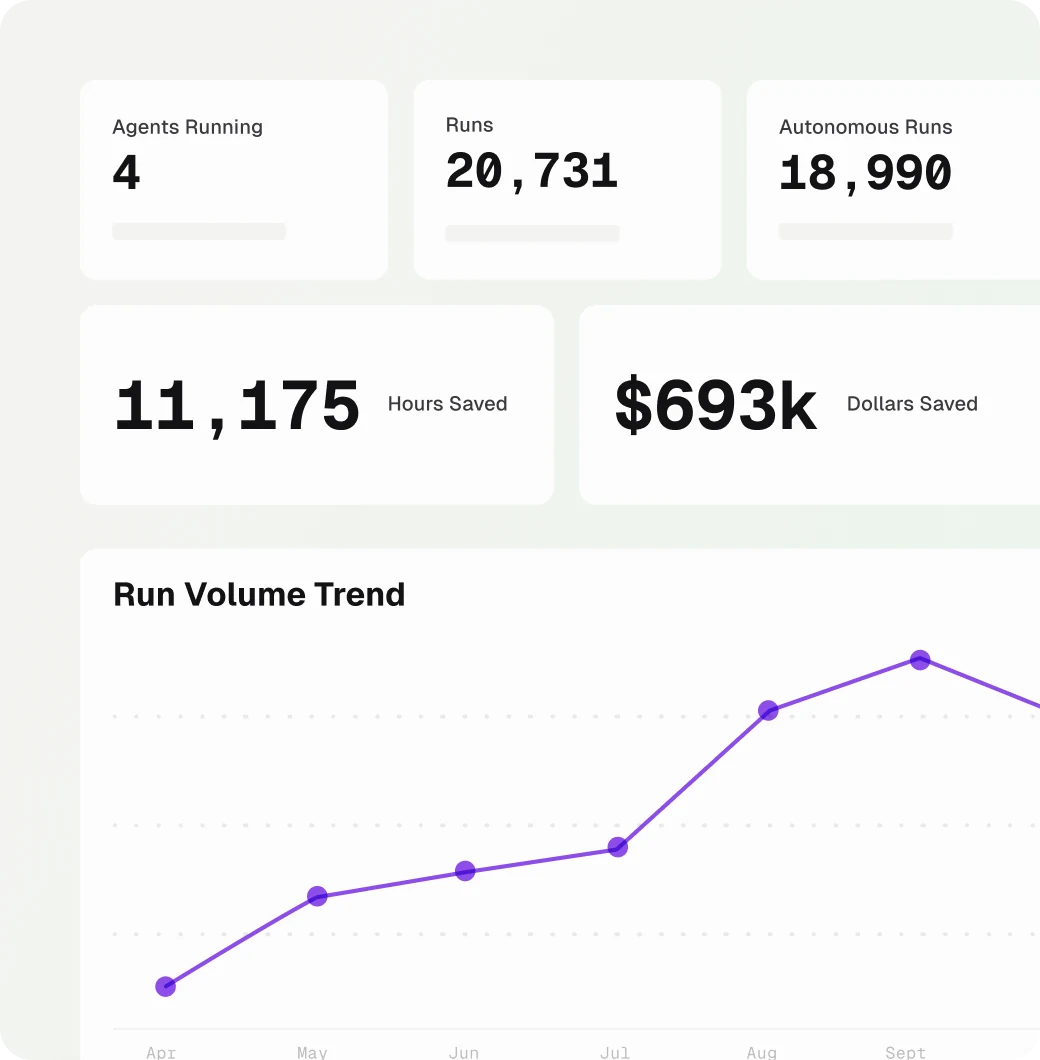
Dashboard with agents running, runs, hours and dollars saved, and run volume trend

Thira answers the two questions every leader asks about AI: is it delivering, and can we trust it with more?

ROI you can defend. Thira reports hours saved and cost per ticket, comparing manual work against agent-run work, with every assumption visible so the numbers hold up under scrutiny. You see the business outcome directly, not a proxy for it.

Agent performance. Thira shows how much of the work its agents are carrying, how much they finish without a human, and where runs are stalling or waiting on an approver. That's how an operations lead knows when it's safe to grant agents more autonomy, and where to clear bottlenecks.

Numbers backed by the audit trail. Every metric drills down to the agent runs behind it and reconciles against the execution record. If a number can't be reconciled, Thira doesn't show it. The number a CIO takes to the board is the same number on the screen, and it's traceable to every action behind it.

Your AI-native IT workforce starts here.

See which of your workflows Thira can take on, and what that's worth in hours and dollars saved.